⌘
Instant launcher
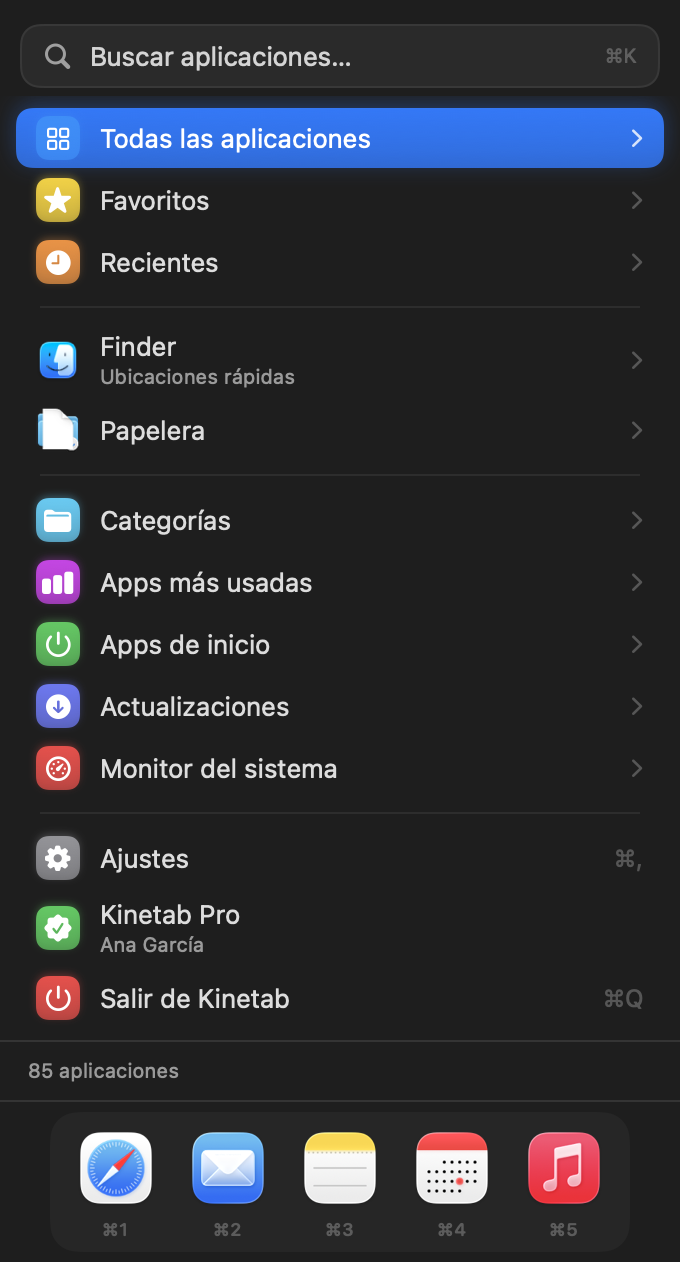
A single panel in the menu bar: all your apps, categories, favorites, recents and search that understands “pho” → Photos. Everything navigable with ↑ ↓ Enter and ←.
Kinetab lives in your Mac’s menu bar: launch any app, switch windows like Alt+Tab, pin your favorites and keep an eye on your Mac — all without touching the mouse.
See it in action
Hover an item to switch screens
 Apple — Safari
 Report.pdf
 Notes
Notes
 Inbox
Inbox
 Calendar
 Music
Music
What it does
Hold ⌥ and press Tab to see every open window with live thumbnails. Release to switch. W closes, M minimizes, F full screen, H hides, Q quits.
Pro
Apple — Safari
Report.pdf
Notes
Inbox
Calendar
Music
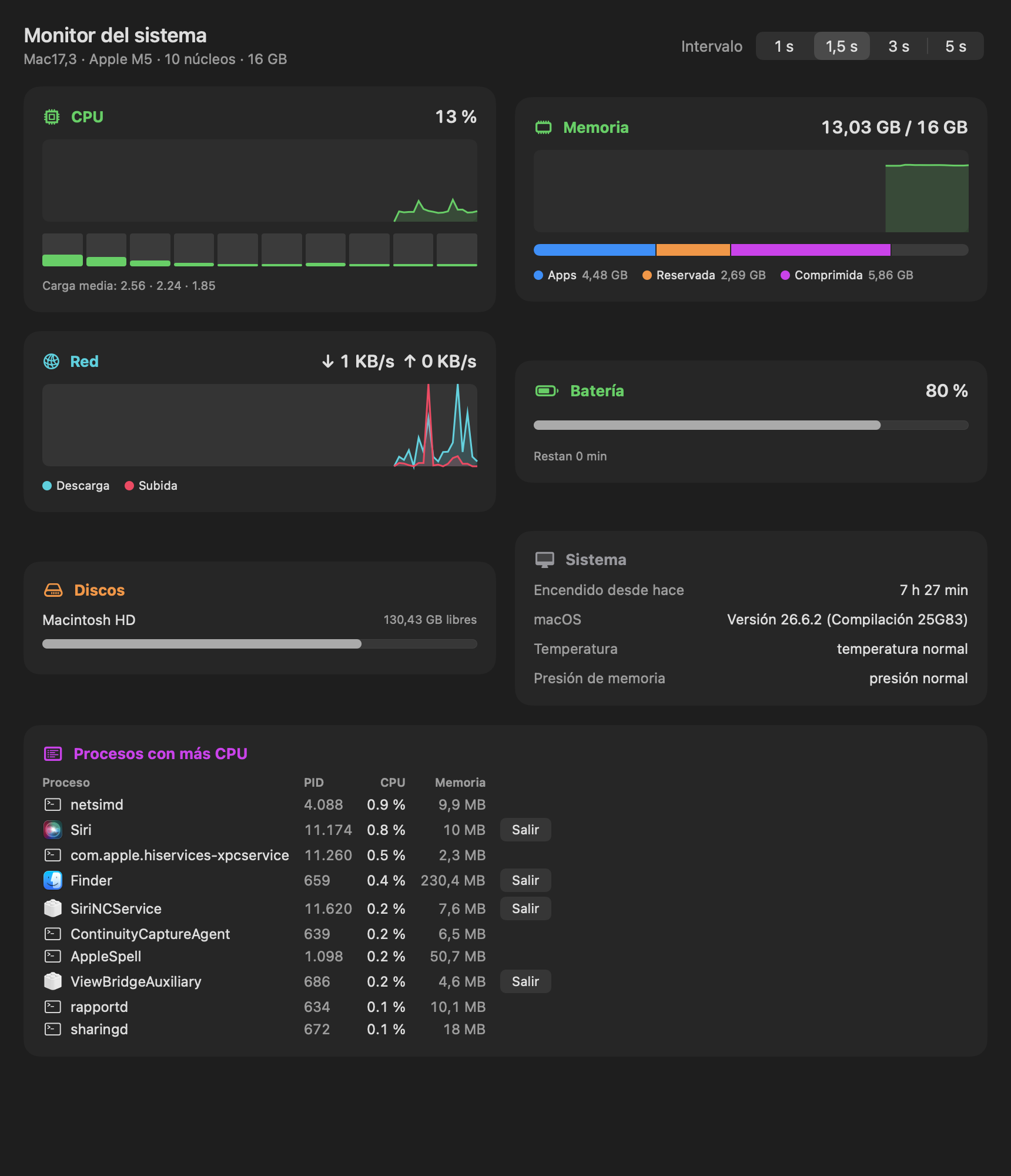
CPU per core, memory pressure, disks, network, battery and the processes eating your CPU — right in the panel.
ProA single panel in the menu bar: all your apps, categories, favorites, recents and search that understands “pho” → Photos. Everything navigable with ↑ ↓ Enter and ←.
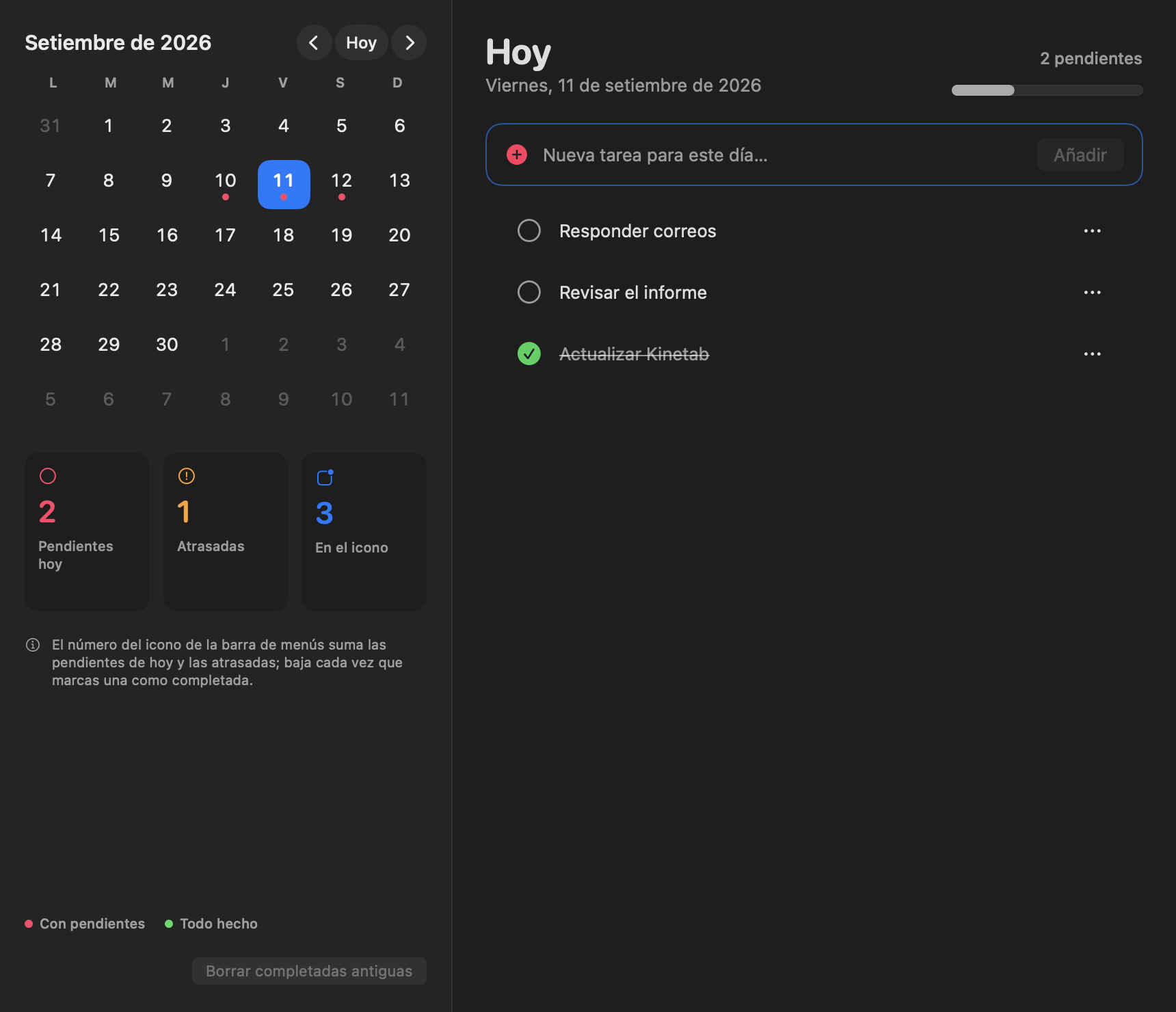
Schedule tasks by day and tick them off from the panel. The menu bar icon shows how many are pending and the number drops as you complete them.
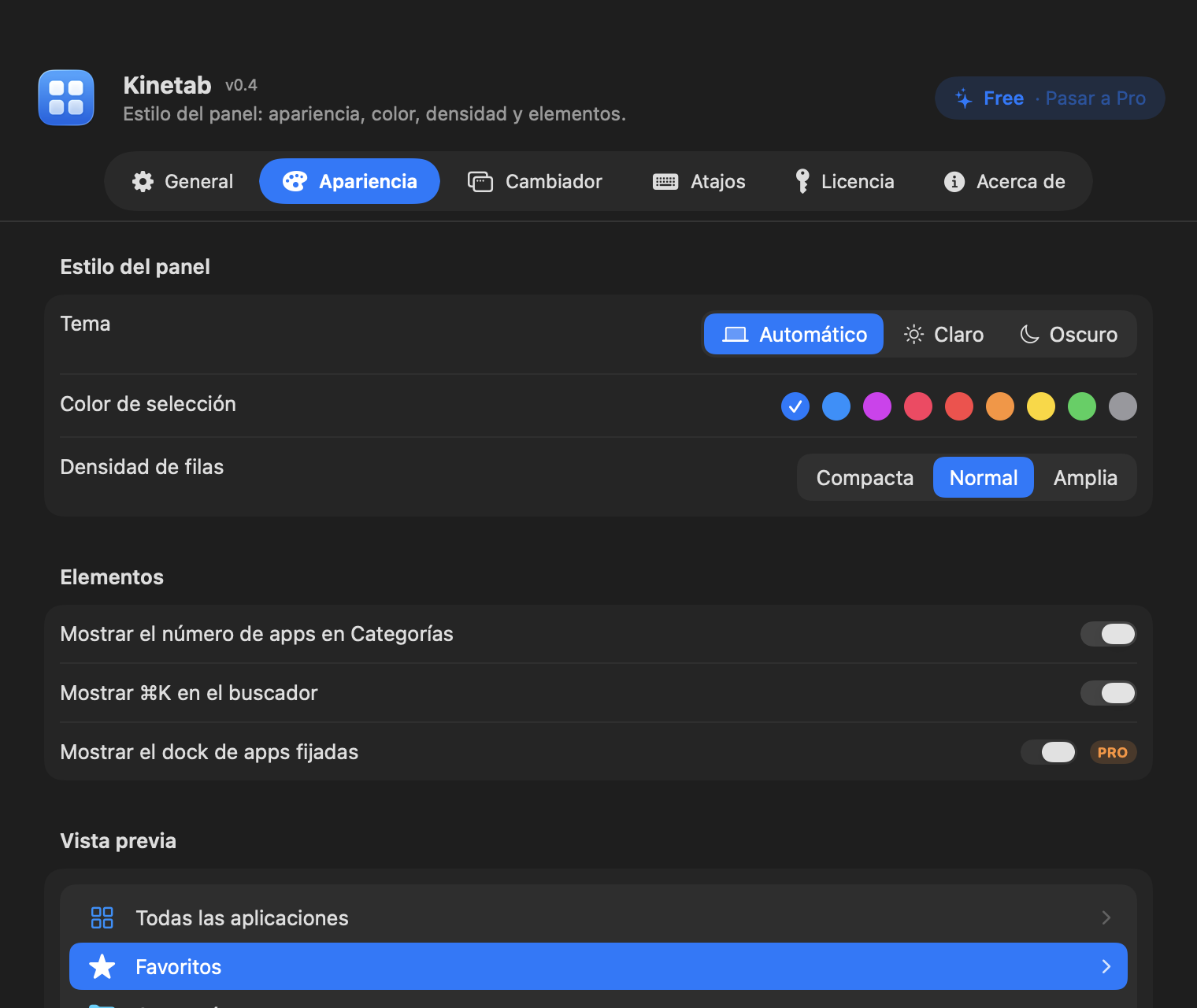
Pin up to six apps to the bottom of the panel and open them with ⌘1…⌘6 from anywhere.
“Work” opens Xcode, Terminal and Safari at once. Define groups and launch them with ⌘⇧1…9.
The last 50 things you copied — text, files, images — searchable. Enter pastes into the active app. Password-manager content is never stored.
Volume, dark mode, lock, sleep, eject disks, empty Trash, calculator right in the search box, and any System Settings pane by name.
CPU or memory in the menu bar, and notifications when the Mac is under pressure, hot, low on disk or battery.
Version, size, architecture, running state, PID, CPU and memory of any app. Show in Finder, copy the path or uninstall.
Global shortcut to open the panel, ⌘K to search, type from any screen to jump to search. The mouse is optional.
No accounts, no telemetry: the only connection is the daily update check, with no data about you. Public Apple APIs only. Permissions are requested only when you enable each feature.
SwiftUI + AppKit, vibrancy, light and dark mode, SF Symbols, ten languages.
Quick locations (Desktop, Downloads, iCloud Drive, volumes), open Finder, and a Trash view with its contents and size.
CPU, memory, disk and battery rings on your desktop, in three sizes.
Found a bug or want a feature? Send feedback from the app itself; it reaches the developer directly.
Plans
Kinetab is free. Pro unlocks the power features with a single purchase — pick Pro or Pro Lifetime.
| Feature | Free | Pro |
|---|---|---|
| Launcher, categories, search, recents, Finder & Trash access | ||
| Quick actions: volume, dark mode, lock, sleep, eject, calculator, System Settings search | ||
| Daily tasks with pending counter on the menu bar icon | ||
| Favorites | up to 5 | unlimited |
| Alt+Tab window switcher with live thumbnails and window controls | ||
| Pinned dock with ⌘1…⌘6 | ||
| Global shortcut to open the panel | ||
| System monitor (CPU, memory, disks, network, battery) + Desktop widgets | ||
| Process monitor per app (PID, CPU, memory, quit) | ||
| Switcher: search by typing, icon/title styles, auto size, keep open, ⌃Tab/⌘Tab, exclusions | ||
| Workspaces: open groups of apps at once (⌘⇧1…9) | ||
| Clipboard history (50 items, paste with Enter) | ||
| CPU/memory/disk/battery alerts and menu bar indicator | ||
| Most used apps statistics · Uninstall apps to the Trash |
All Pro features. One-time purchase, no subscription. Includes every update of the current major version (1.x).
Everything in Pro, plus every future update — forever. For those who want to support Kinetab’s long-term development.
Valid on every Mac you personally use · all Pro features · one-time payment, no subscription. · Secure card payment. The license key arrives by email in seconds and works offline.
What users say
No reviews yet. Do you use Kinetab? Be the first to tell others how it works for you — reviews are published after a quick check.
Yes. The installer is signed with Developer ID and notarized by Apple: it opens and installs without security warnings on any Mac running macOS 14 or later.
None to launch apps. The window switcher needs Accessibility (to list and activate other apps’ windows) and, optionally, Screen Recording for live thumbnails. Both are requested only when you enable it.
You paste the key in Settings › License. It is verified locally with cryptographic signatures — no server, no account, no internet needed.
Yes, on every Mac you personally use.
Kinetab checks once a day for a new version and offers to download it. Pro is a one-time purchase; updates within the major version are included.
Both are one-time purchases with every Pro feature. Pro includes all updates of the major version you buy (1.x); Pro Lifetime includes every future update, including new major versions, forever.
Download, drag to Applications, open. No account, no setup.
Free · macOS 14 or later · Apple Silicon & Intel